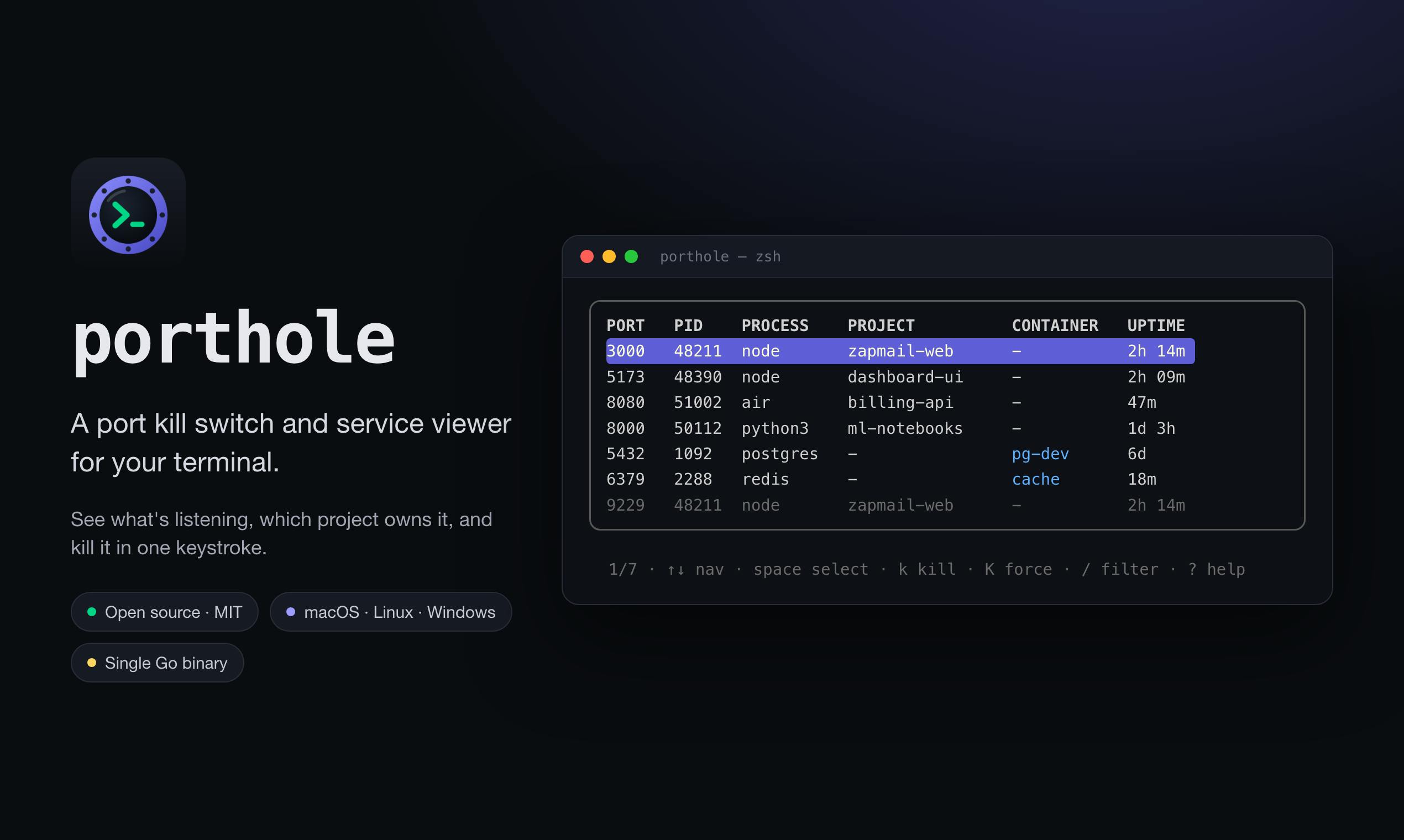
**porthole** is a port kill switch and service viewer for your terminal. It shows every port listening on your machine, which project owns it, and lets you kill it in one keystroke, from an animated TUI or a scriptable CLI backed by the same engine.
I built it because I was tired of this loop: start a dev server, get *"port 3000 already in use"*, run `lsof -i :3000`, see `node`, and still have no idea which of my ten projects is holding it.
```bash
brew install subh05sus/tap/porthole
porthole # the interactive TUI
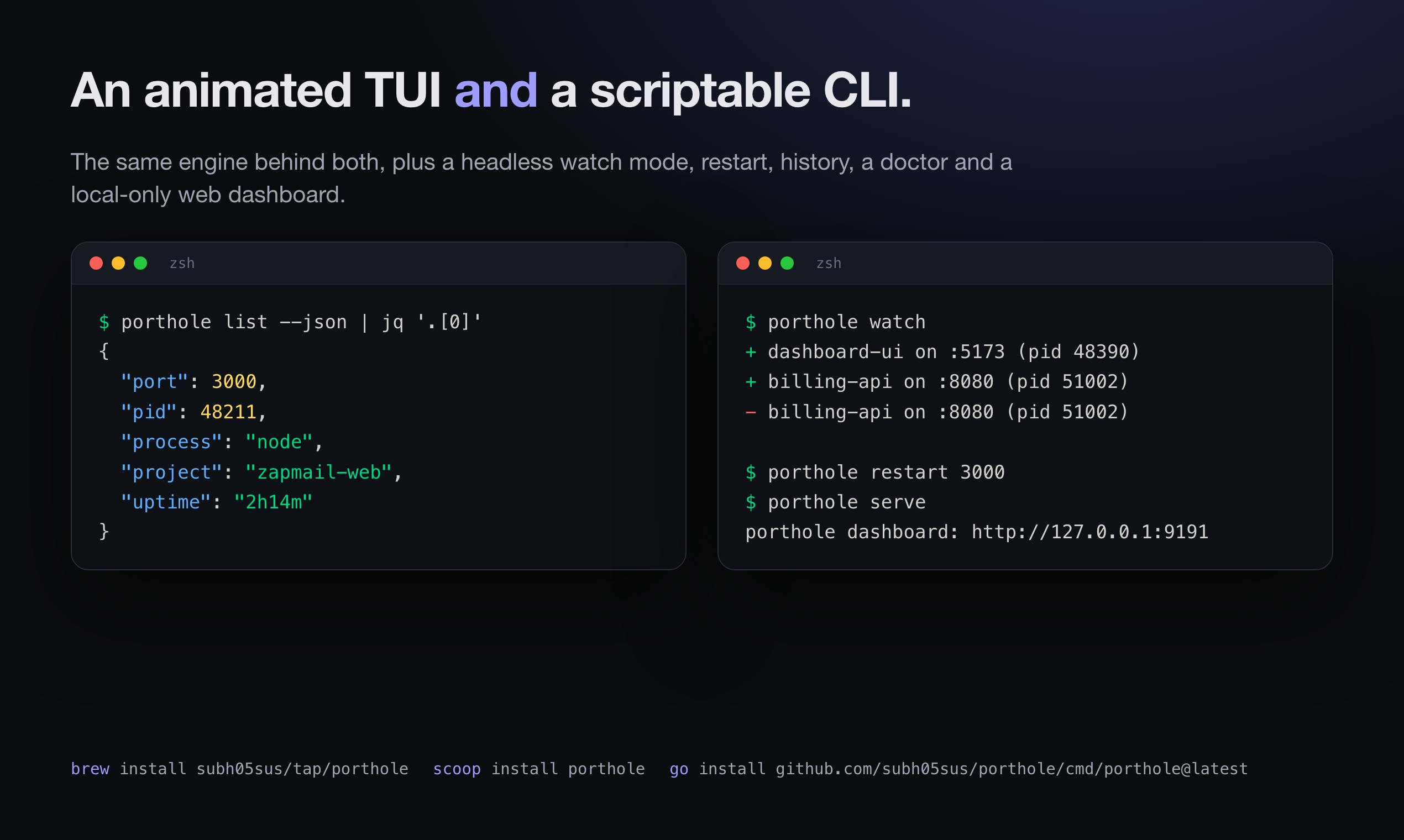
porthole list --json # for scripts and jq
porthole kill 3000 8080 # SIGTERM, escalate only if ignored
```
## What it answers
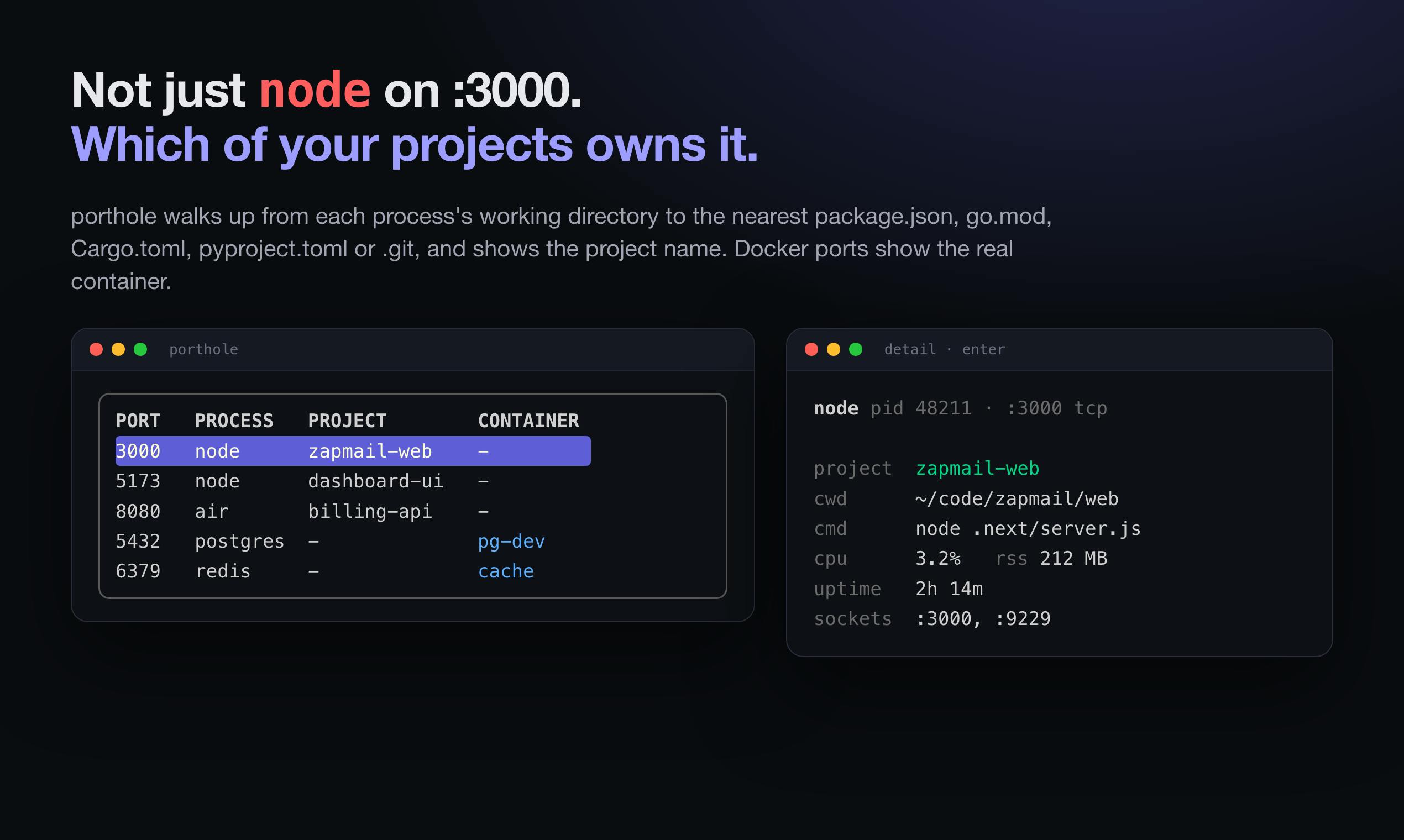
- **Which project owns this port?** It walks up from the process's working directory to the nearest `package.json`, `go.mod`, `Cargo.toml`, `pyproject.toml` or `.git` and shows the project name, not just `node`. Docker-published ports show the real container, and killing one runs `docker stop`.
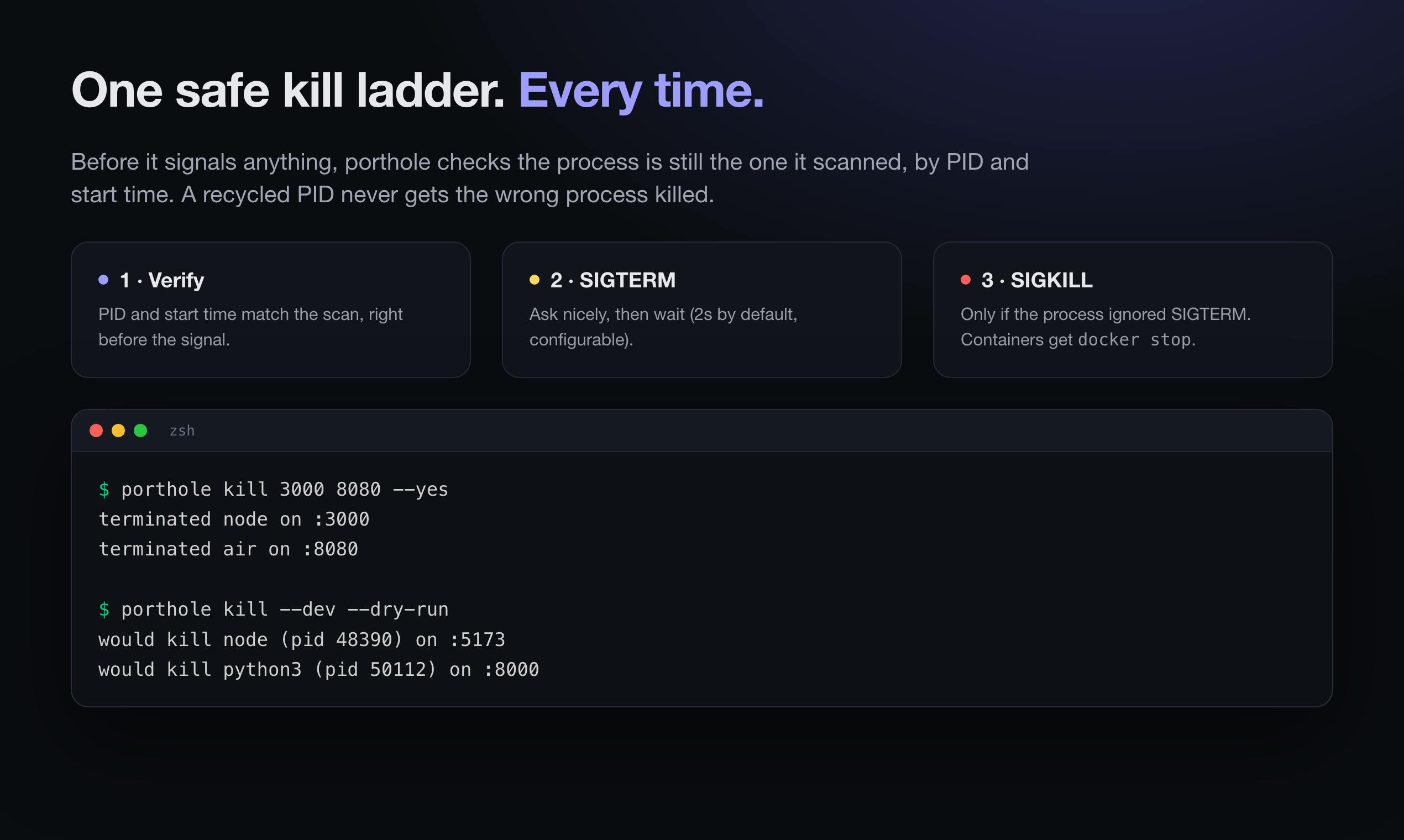
- **Is it safe to kill?** Right before signalling, it checks that the PID *and* the process start time still match what it scanned, so a recycled PID never takes down the wrong process.
- **What happens when I hit kill?** Always the same ladder: SIGTERM, wait, SIGKILL only if it was ignored. Same code path in the TUI, CLI, daemon and web dashboard.
## Features
- Animated TUI with filter, multi-select and a watch mode
- Scriptable CLI with `--json` and `--oneline` output
- Headless `watch` that prints what changed, with optional notifications
- `restart` a process with the same command, working directory and environment
- Kill history: who, when and what happened
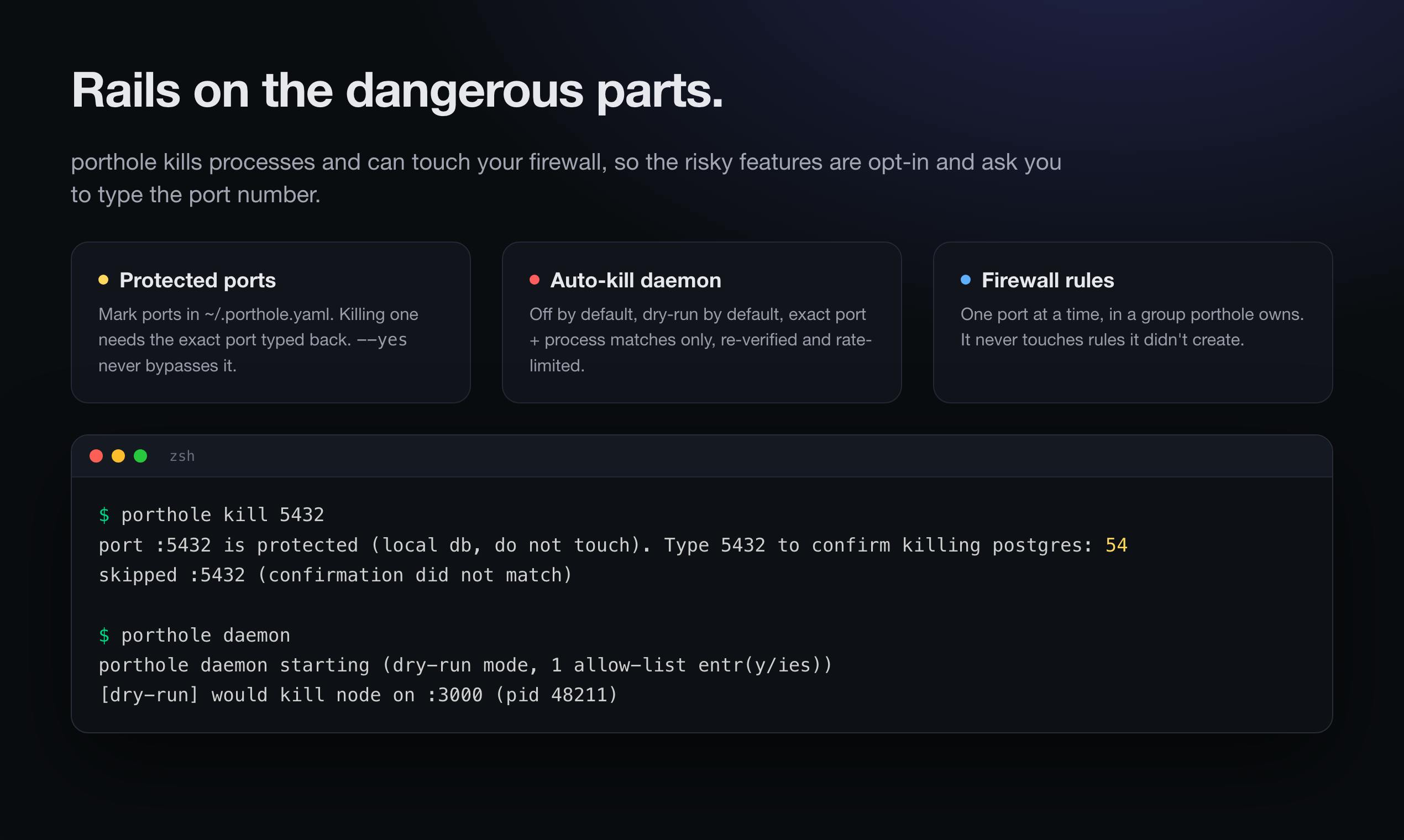
- Protected ports that need the port number typed back before a kill
- An opt-in auto-kill daemon that's dry-run by default
- A local-only web dashboard (binds 127.0.0.1, never the network)
- Isolated firewall rules for ports it discovered
## Built using
- Go, as a single binary for macOS, Linux and Windows (amd64 and arm64)
- Bubble Tea and Lip Gloss for the TUI, Cobra for the CLI
- Shipped through GoReleaser, Homebrew, Scoop, `go install` and an install script
### **Free and MIT licensed.**
Go
Bubble Tea (TUI)
Lip Gloss
Cobra (CLI)
Docker API
GoReleaser
Homebrew / Scoop